Twenty: The Open-Source CRM Founders Can Own, Customize and Self-Host
Twenty is a free, open-source CRM on GitHub that you can use in the cloud or self-host. Here is how founders can set it up, extend it as code, and what to watch out for.
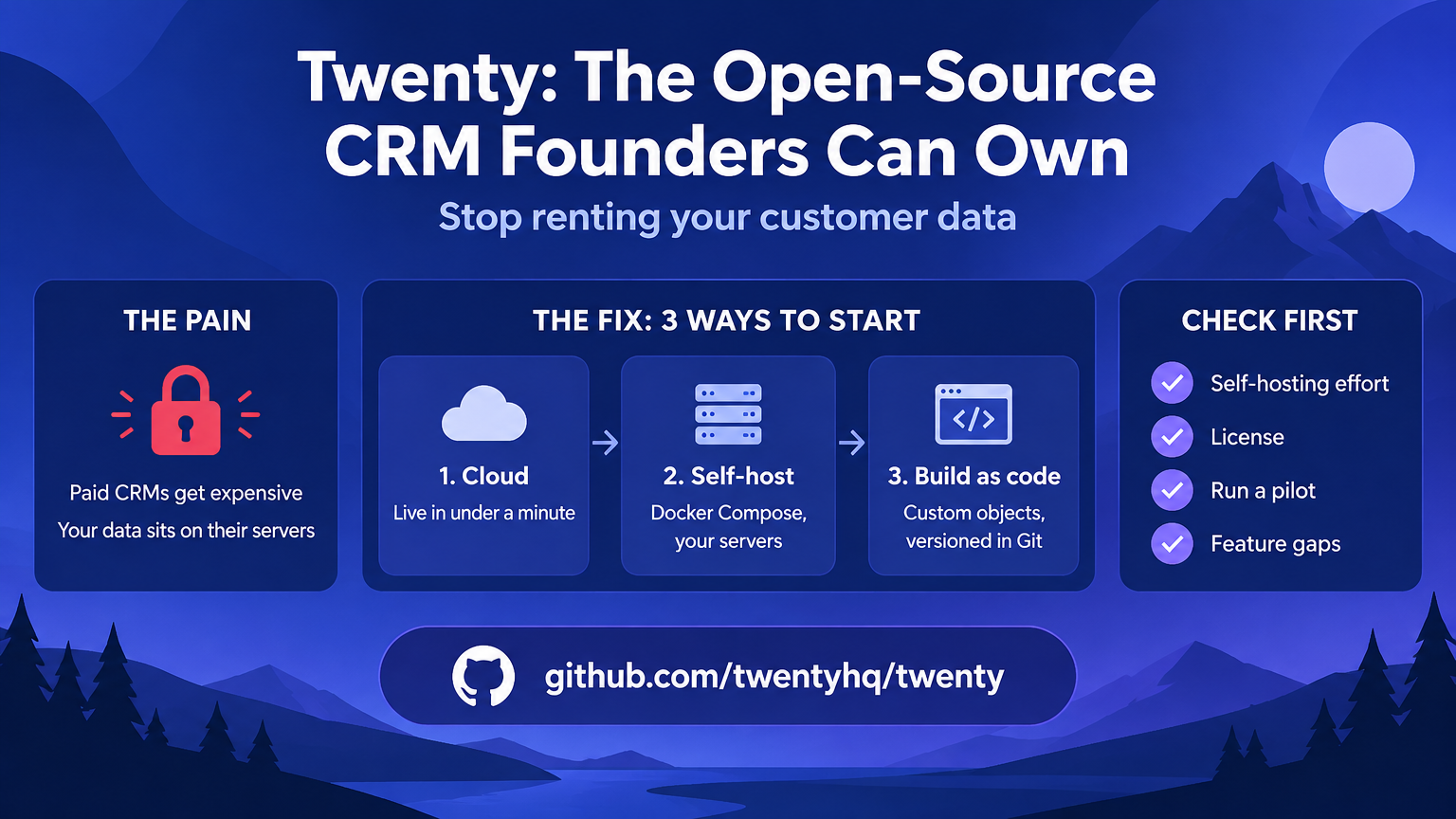
Most founders start tracking customers in a spreadsheet, then jump to a paid CRM the moment the pipeline gets messy. Twenty is an open-source CRM on GitHub that gives you a third path: a modern CRM you can use in the cloud, self-host, and change like the rest of your codebase. With around 58,000 stars on GitHub, it is one of the most watched open-source business tools right now.
What Twenty is
The pain: Hosted CRMs get expensive as your team grows, your customer data sits on someone else's servers, and customizing anything beyond the basics often means a paid tier or a consultant.
The fix: Twenty describes itself as the open alternative to Salesforce, designed for AI. It gives you the building blocks of a CRM (objects, views, workflows and agents) and lets you extend them as code.
Repo: github.com/twentyhq/twenty
Three ways to start
1. Use the cloud version
The pain: You want a CRM today, not a weekend of server setup.
The fix: Sign up at twenty.com and create a workspace. The README says this takes under a minute and needs no infrastructure on your side.
2. Self-host with Docker
The pain: Customer data is your most sensitive asset and you want it on infrastructure you control.
The fix: The repo supports Docker Compose for self-hosting. Follow the self-hosting guide in the docs. The stack is TypeScript, NestJS, PostgreSQL, Redis and React, so any developer on your team can read and debug it.
3. Build your own CRM as code
The pain: Your sales process is not generic. A B2B SaaS founder tracks trials and seats, a marketplace founder tracks suppliers and buyers.
The fix: Twenty has a CLI for creating apps. Scaffold one and define your own objects and fields in code.
npx create-twenty-app my-appA custom object looks like this:
import { defineObject, FieldType } from 'twenty-sdk/define';

export default defineObject({
  nameSingular: 'deal',
  namePlural: 'deals',
  labelSingular: 'Deal',
  labelPlural: 'Deals',
  fields: [
    { name: 'name', label: 'Name', type: FieldType.TEXT },
    { name: 'amount', label: 'Amount', type: FieldType.CURRENCY },
    { name: 'closeDate', label: 'Close Date', type: FieldType.DATE_TIME },
  ],
});
Then publish it to your workspace:
npx twenty app:publish --privateBecause the CRM structure lives in code, you can version it in Git, review changes in a pull request and roll back a bad change, which a point-and-click CRM cannot do.
Why founders should care
- No lock-in. You can export, fork or self-host, so your customer history is not held hostage by a pricing change.
- Fits your process. Custom objects, views, workflows and AI agents let the CRM follow your sales motion instead of the other way around.
- Works with your coding agent. The repo ships official skills for tools like Claude Code, Codex and Cursor, so an agent can help you build your app.
- Active project. The repo has thousands of commits and a public roadmap and Discord community, so you can see where it is heading.
What to check before you commit
- Self-hosting is a job. You own backups, upgrades, uptime and security. If nobody on your team wants that, start on the cloud version.
- Read the license. Check the LICENSE file in the repo before you modify or redistribute the code, because open source licenses differ in what they require.
- Run a pilot first. Import a small export of your leads, run one real sales cycle, and compare against your current tool before moving everything.
- Know your gaps. If you rely on a full marketing automation suite, confirm Twenty covers it or plan to keep a separate tool for that.
Bottom line
If your product or customer data is core to your business, owning your CRM is a real advantage. Start with the cloud workspace to learn the model, then self-host or build custom objects once your process is clear.
Links founders need
- Website and cloud sign-up: twenty.com
- Documentation: docs.twenty.com
- Self-hosting with Docker Compose: self-host guide
- Build an app: app development guide
- Roadmap: GitHub project
- Community: Discord
Found this useful?
Save it for later or share it with someone who might need it.
Discussion
Share your thoughts on this article.
Loading comments...