Back to Articles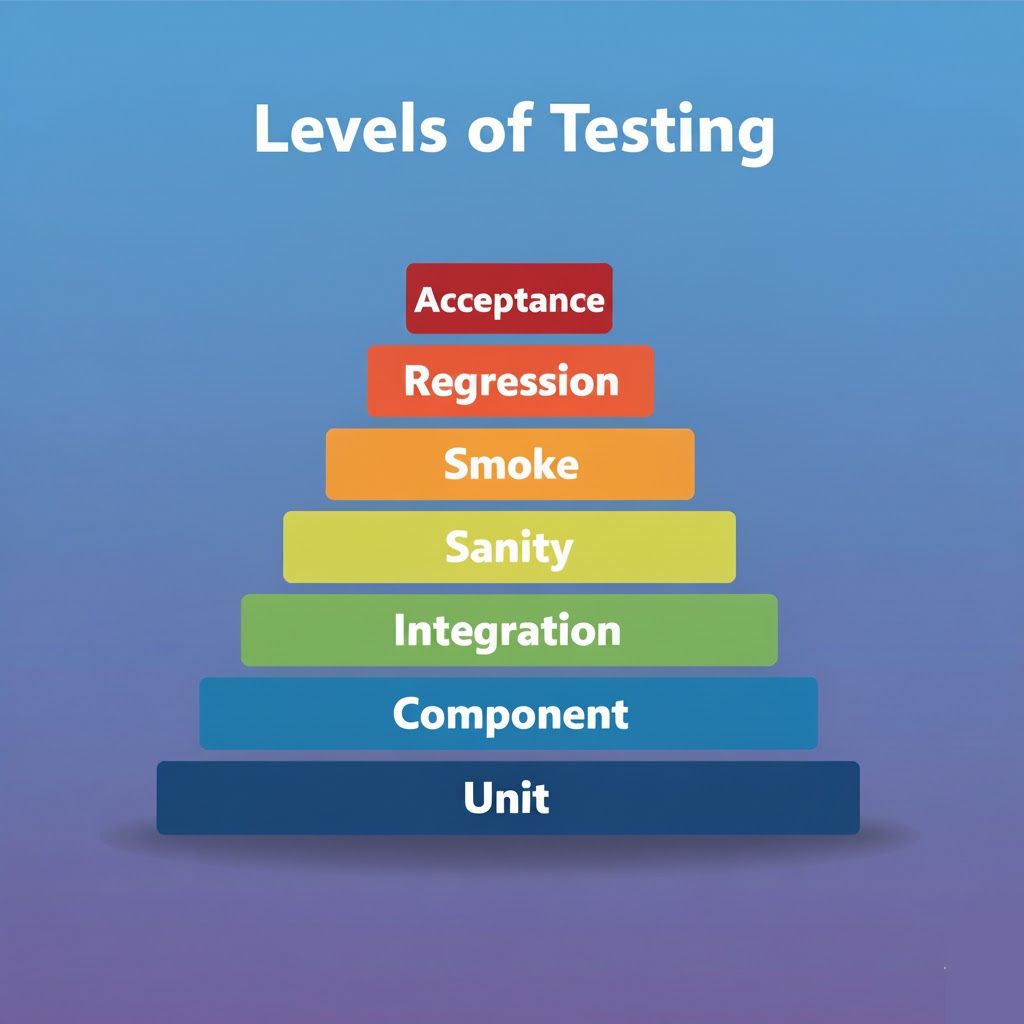
The 7 Essential Levels of Software Testing: A Complete Guide for QA Professionals
Master the key levels of software testing from unit to acceptance testing. Learn what each level tests, who performs it, and real-world examples to elevate your QA skills.
H
Hirely
October 30, 2025•7.13 min read
Why Testing Levels Matter
Testing isn't just about finding bugs. It's about building quality into every stage of software development. Each level of testing has a specific purpose, targets different aspects of the application, and helps catch different types of issues. Understanding these levels helps you test smarter, communicate better with your team, and ensure nothing falls through the cracks. Whether you're a developer writing your first test or a QA professional leading quality initiatives, knowing when and how to apply each testing level is essential. Let's break down the seven key levels every software professional should master. ---1. Unit Testing
What it tests: Individual functions, methods, or classes in the code. These are the smallest testable parts of an application. Who performs it: Developers write unit tests as they code. Goal: Verify that each small piece of code works correctly in isolation. Catch bugs early, right where they're introduced. Real example: Imagine you have a function that calculates the total price of items in a shopping cart, including tax. A unit test would check: Does it correctly add up the prices? Does it apply the right tax percentage? Does it handle edge cases like zero items or negative prices? Why it matters: Unit tests are your first line of defense. They're fast, easy to automate, and catch problems before they spread. When developers write good unit tests, fewer bugs make it to later stages, saving everyone time. ---2. Component Testing
What it tests: A complete module or component of the application. This could be a login system, shopping cart, search feature, or any self-contained part of your software. Who performs it: Usually developers, sometimes testers. Goal: Ensure all features within that component work properly together. It's bigger than unit testing but still focused on one module. Real example: Testing the entire login component means checking username input, password input, validation messages, "forgot password" link, "remember me" checkbox, and the submit button. You're testing how all these pieces work as a cohesive unit. Why it matters: Individual functions might work fine, but do they work well together? Component testing catches integration issues within a module before you connect it to the rest of the system. ---3. Integration Testing
What it tests: How different modules, components, or systems communicate and work together. Who performs it: QA testers and developers, often working together. Goal: Verify that data flows correctly between components. Catch issues that only appear when systems interact. Real example: After a user logs in successfully (login module), does the system correctly redirect to the dashboard (dashboard module)? Does user information pass correctly between them? Can the dashboard access the user's data from the database? Why it matters: Most bugs don't happen inside components. They happen at the boundaries, where different parts of the system connect. Integration testing finds these interface problems. ---4. Sanity Testing
What it tests: A quick, narrow check of specific functionality after receiving a new build or bug fix. Who performs it: QA testers. Goal: Verify that the specific issue was fixed and major functions still work. Decide if the build is stable enough for deeper testing. Real example: Developers fix a bug where the login button wasn't working. Sanity testing would focus on: Does the login button work now? Can users log in? You're not testing the entire application, just the fixed area and closely related features. Why it matters: Sanity testing saves time. If the fix didn't work or broke something obvious, you catch it immediately instead of wasting hours on full testing. ---5. Smoke Testing
What it tests: The most critical functionalities of the application. It's a broad but shallow check. Who performs it: QA testers, often automated. Goal: Verify that core features are stable enough for detailed testing. Also called "Build Verification Testing." Real example: You receive a new build. Smoke testing would check: Does the app launch? Can you log in? Can you navigate to main pages? Can you perform basic actions? If any of these fail, the build goes back to developers without further testing. Why it matters: There's no point in deep testing if basic functionality is broken. Smoke testing acts as a gatekeeper, ensuring only viable builds move forward. ---6. Regression Testing
What it tests: Previously working functionality after code changes, updates, or bug fixes. Who performs it: QA testers, usually with heavy automation. Goal: Ensure new changes haven't broken existing features. Catch unexpected side effects. Real example: You add a new payment method (PayPal) to your checkout process. Regression testing checks that the existing payment methods (credit card, debit card) still work correctly. Did the new feature accidentally break old functionality? Why it matters: Software is interconnected. Changing one thing can break something seemingly unrelated. Regression testing is your safety net, especially important in agile environments with frequent releases. ---7. Acceptance Testing
What it tests: Whether the software meets business requirements and is ready for production release. Who performs it: End users, clients, business stakeholders, or a specialized QA team. Goal: Confirm the software does what it's supposed to do from a business perspective. Get final approval before release. Real example: A client ordered a hotel booking system. Acceptance testing verifies: Can users search for hotels? Can they select dates and rooms? Does the booking process work end-to-end? Does it match what the client requested? Types of acceptance testing:- User Acceptance Testing (UAT): Real users test the software
- Business Acceptance Testing (BAT): Validates against business goals
- Alpha/Beta Testing: Testing with limited user groups before wide release
How These Levels Work Together
Think of testing levels as layers of quality assurance: Unit testing catches code-level bugs immediately. Component testing ensures modules work internally. Integration testing verifies modules work together. Smoke testing confirms builds are testable. Sanity testing validates specific fixes quickly. Regression testing protects existing functionality. Acceptance testing confirms business value. Each level catches different types of issues. Skip one, and bugs slip through. Use them all strategically, and you build quality into every stage of development. ---Common Questions About Testing Levels
Q: Do we need to do all these levels for every project? Not necessarily. Small projects might combine some levels. But understanding all levels helps you make informed decisions about what your project needs. Q: What's the difference between smoke and sanity testing? Smoke testing is broad and shallow, checking major features. Sanity testing is narrow and deep, focusing on specific areas after fixes. Both are quick verification techniques. Q: Who decides what to test at each level? Ideally, the team collaborates. Developers focus on unit and component tests. QA leads integration, regression, and acceptance testing. Everyone understands the overall strategy. Q: How much should be automated? Unit, smoke, and regression tests should be highly automated. Integration and component tests often combine automation and manual testing. Acceptance testing might be more manual, especially for user experience aspects. ---Tips for Effective Testing at Every Level
Start early. Don't wait until the end to test. Unit tests happen during development. Integration tests start as soon as modules connect. Automate smartly. Automate stable, repetitive tests. Use manual testing for exploratory work and new features. Communicate clearly. Use these terms consistently with your team. Everyone should understand what "integration testing" or "regression testing" means in your context. Document your approach. Write down what each testing level covers in your project. This helps new team members and ensures consistency. Adjust as needed. Not every project needs the same testing strategy. Adapt these levels to your project's size, complexity, and risk. Track coverage. Know what's tested at each level. Identify gaps. Make informed decisions about where to invest testing effort. ---The Bottom Line
Testing levels aren't just theoretical concepts. They're practical tools that help you build better software. Each level has a purpose. Each catches different bugs. Together, they create a comprehensive quality strategy. Master these seven levels, and you'll test more effectively, communicate more clearly, and deliver higher quality software. Whether you're writing your first unit test or leading a QA team, understanding when and how to apply each testing level makes you a better software professional. Quality isn't built by accident. It's built layer by layer, with the right testing at the right time. Now you know the levels. Time to put them into practice. 💡 ---Found this useful?
Save it for later or share it with someone who might need it.
Discussion
Share your thoughts on this article.
Checking sign-in status...
Loading comments...