How to Use Multiple AI Agents in 2026: A Practical Guide for Founders
Learn when multiple AI agents beat one, the four setups that work in 2026, and how to build your first small agent team without wasting tokens or losing control.
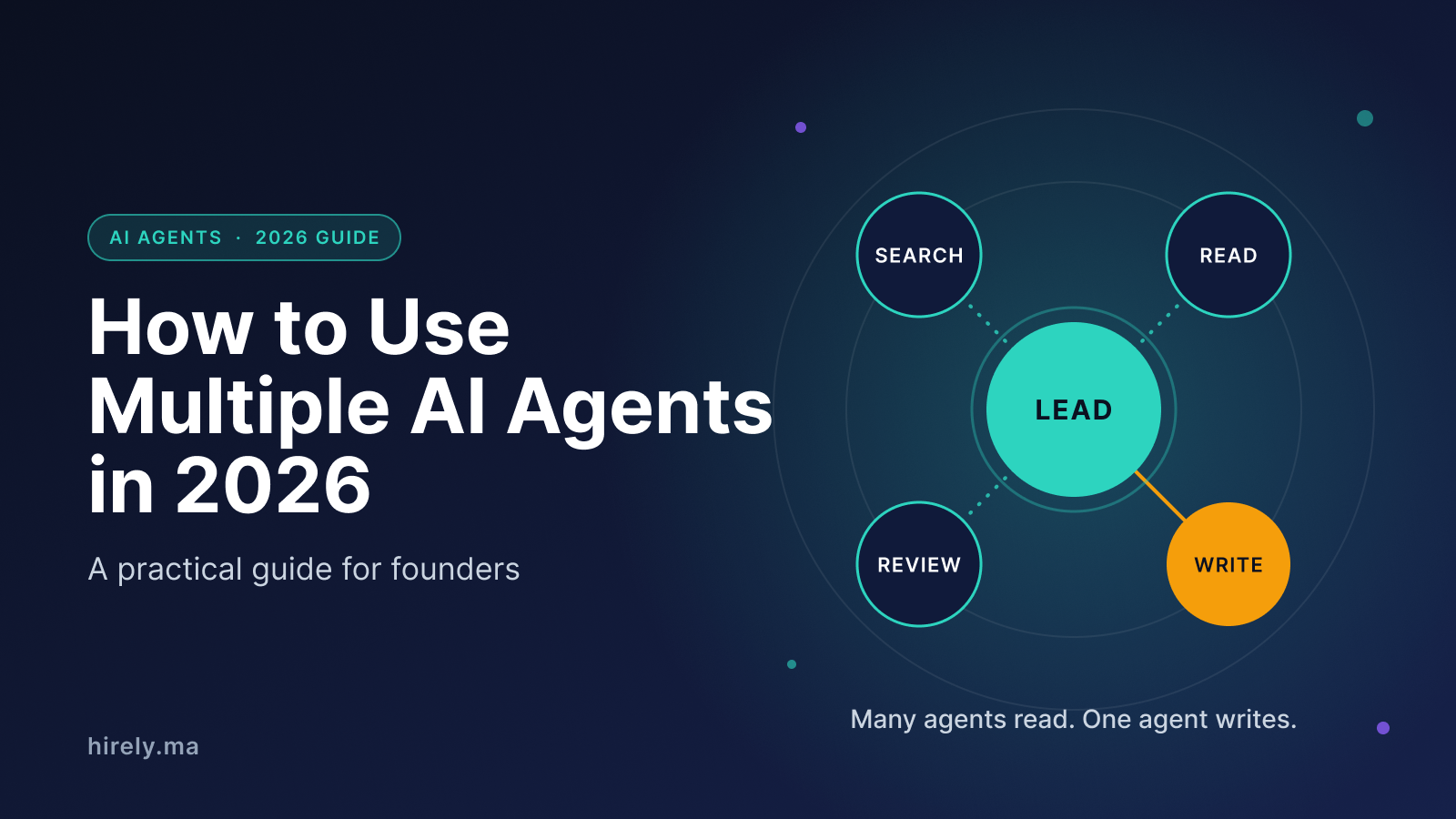
You should use multiple AI agents when a job splits into independent pieces that can run side by side, like researching ten competitors at once. For most other work, one well-prompted agent is cheaper and more reliable. This guide shows how to tell the difference and how to build your first small agent team.
Quick answer
- Use one agent by default.
- Add more agents only for parallel reading, research or review.
- Keep one agent as the only writer.
- Start with Claude Code subagents. Use MCP for tools. Look at A2A later.
1. One agent is the right default
The pain: Every tool now promises a team of agents, so it is easy to add complexity before you have a problem that needs it.
The fix: Start with one agent. If your task is a single step with a predictable result, one agent handles it fine, as Mastra's orchestration guide points out.
There is also a cost. Anthropic reports that:
- agents use about 4 times more tokens than normal chat
- multi-agent systems use about 15 times more
Add agents only when the extra spend buys something you can name: speed, coverage or a second opinion.
2. When using multiple AI agents pays off
Where they help
Anthropic says multi-agent systems do best on tasks with:
- heavy parallelization
- information that exceeds a single context window
- many complex tools
In its Research feature, a lead agent plans the job and delegates to subagents that search in parallel. In Anthropic's internal evaluation, a setup with Claude Opus 4 as lead and Claude Sonnet 4 as subagents beat a single Opus 4 agent by 90.2% on research tasks.
That is a vendor testing its own product on its own task. Read it as evidence that the pattern suits breadth-first research, not as a promise for your use case.
Where they break
Anthropic also notes that work is a poor fit today when every agent needs the same context, or when many steps depend on each other.
Cognition, the company behind the coding agent Devin, made the sharper argument in Don't Build Multi-Agents: agents working in parallel make decisions the others cannot see, and the pieces then fail to fit together.
In April 2026 Cognition updated its view. It now says a narrower class of multi-agent systems works, where agents contribute intelligence while writes stay single-threaded.
The rule to remember
Let many agents read, search and judge in parallel, and keep one agent responsible for writing and final decisions.
3. Four setups that cover most needs
A Microsoft AI Skills Fest session on orchestration patterns names concurrent, sequential, handoff and group chat orchestration. Anthropic's research system adds the orchestrator-worker design. For a small team, these four are the ones worth knowing:
Sequential
Agent A passes its output to B, then C.
- Good for: draft, edit and fact-check chains
- Watch out for: one weak step spoils the rest
Concurrent
Several agents work on the same input at once, then the results are merged.
- Good for: competitor scans, multi-source research, several reviewers
- Watch out for: merging answers that disagree
Handoff
A triage agent sends each request to the right specialist.
- Good for: a support inbox, an internal help desk
- Watch out for: wrong routing sends work to the wrong agent
Orchestrator-worker
A lead agent plans, delegates pieces to workers and combines the results.
- Good for: open-ended research where the steps are not known upfront
- Watch out for: the highest token cost, and the lead's briefing quality decides the result
How to choose
- Steps must happen in a fixed order: sequential.
- Same input, several viewpoints: concurrent.
- Different kinds of requests need different specialists: handoff.
- The steps are not known upfront: orchestrator-worker.
Pick the simplest setup that solves your problem. A sequential chain is easy to debug. An orchestrator with five workers is not, so earn that complexity.
4. Set up your first agent team in Claude Code
The pain: Long sessions get heavy. Every file read and every search result stays in the main conversation, which slows the agent down and drives up cost.
The fix: Use subagents.
What a subagent is
According to the Claude Code docs, each subagent runs in its own context window with:
- a custom system prompt
- specific tool access
- independent permissions
Claude Code also ships built-in subagents such as Explore and Plan. A subagent cannot spawn other subagents, which keeps the structure flat. The docs suggest defining a custom one when you keep spawning the same kind of worker with the same instructions.
Create one in three steps
- Create a markdown file in
.claude/agents/(project level, which the docs recommend checking into version control) or~/.claude/agents/(personal).
- Write a clear description of when to use it, and give it only the tools it needs.
- Ask Claude to use it by name, or let Claude route matching work to it.
Here is a small read-only reviewer you can adapt:
---
name: security-reviewer
description: Reviews code changes for security problems. Use after any change to login, payments or user data.
tools: Read, Grep, Glob
---

You are a security reviewer. Read the changed files and list risks such as exposed secrets, missing input checks and unsafe queries. Report each finding with the file, the line and a suggested fix. Do not edit any files.
The reviewer can only read, so it cannot change anything behind your back. Check the current docs for the full list of supported fields, since they evolve.
Going further
If you need several agents working in parallel and talking to each other, the docs point to agent teams, which coordinate across separate sessions. Start with plain subagents first.
5. Connect agents to tools and to each other
The pain: You hear about MCP and A2A and assume any system with more than one agent needs both.
The fix: They solve different problems, as Zenity's overview explains:
- MCP (Model Context Protocol) connects an agent to its tools and data.
- A2A (Agent2Agent protocol) connects independent agents to each other.
Google introduced A2A and moved it to the Linux Foundation in June 2025, and MCP is now a Linux Foundation project too.
For most founders, the guidance from Redis is a good filter. A network protocol like A2A adds setup, authentication and moving parts. Use MCP for tools; consider A2A only when your agents must work with software you do not control. Inside a codebase you own, a framework can coordinate your agents without a protocol in the middle.
A 2026 survey paper (a preprint, so not yet peer reviewed) compares four leading frameworks: LangGraph, CrewAI, AutoGen (now Microsoft Agent Framework) and the OpenAI Agents SDK.
6. Five habits that keep an agent team under control
- Give every agent one job and clear limits. Say what it should research and what it should leave to the others.
- Keep one writer. Only one agent edits files, sends messages or changes data. The rest report back.
- Count the cost before you scale. Five agents have ten possible pairs that could need to coordinate, and ten agents have forty-five, so complexity grows faster than headcount. The survey paper above makes the same point about orchestration overhead.
- Make the work visible. Read each agent's summary or trace. Anthropic found that agents behaving differently on each run meant its team needed new ways to debug them.
- Review before anything goes out. Treat outputs as drafts, check every number, and require your approval before an agent emails customers or touches production data.
7. A first project: competitor research before a launch
This is an example setup, not a case study. Say you are about to launch and want to understand three competitors.
- Ask a lead agent to split the job into three questions: pricing and plans, common user complaints, and how each competitor describes itself.
- Run one read-only subagent per question, in parallel, each with a clear scope and told not to cover the others.
- Have one agent merge the findings into a single page, with source links beside every claim.
- Open the sources yourself for anything you will act on, such as prices and quotes.
You get the speed of parallel research and the control of a single writer. If it works, reuse the same setup for investor research or hiring research later.
Key takeaways
- Use one agent by default, and add more only for a reason you can name.
- Multiple agents shine on parallel reading and research, and struggle on tightly connected writing such as coding.
- Start with the simplest of four setups: sequential, concurrent, handoff or orchestrator-worker.
- Claude Code subagents are an easy first step, and a read-only reviewer is a safe first one.
- Learn MCP first. Consider A2A later.
- Budget for higher token use, and keep a human on every decision that matters.
FAQ
How many agents should I start with?
Two or three. One lead or coordinator and a couple of read-only workers is enough to learn what works for your tasks.
Do I need a framework?
Not at first. Subagents in a tool you already use are enough to test the idea. Frameworks make more sense once you run agents in your own product.
Are multiple agents better than one?
Only for the right kind of task. Research that splits into independent threads benefits. Tightly connected work often does better with a single agent that holds the full context.
---
Building something with agents? Hirely is a place to discover startups worth following and meet the founders building what comes next.
Sources: Anthropic: How we built our multi-agent research system, Cognition: Don't Build Multi-Agents, Cognition: Multi-Agents, What's Actually Working, Claude Code subagents docs, Mastra: AI agent orchestration, Zenity: Agent2Agent protocol, Redis: MCP vs A2A, Microsoft AI Skills Fest session, LLM-Based Multi-Agent Orchestration survey (preprint).
Found this useful?
Save it for later or share it with someone who might need it.
Discussion
Share your thoughts on this article.
Loading comments...